

















RØDE Releases New Firmware Update for Wireless PRO
RØDE has announced a new firmware update for the Wireless PRO wireless microphone system. The update adds a new two-step high-pass filter, the ability to disable the timeout feature on the transmitters, and the ability to disable the plug-in power detect feature on the receiver. The update also makes the Wireless PRO fully compatible with other RØDE Series IV wireless devices.
New High-Pass Filter
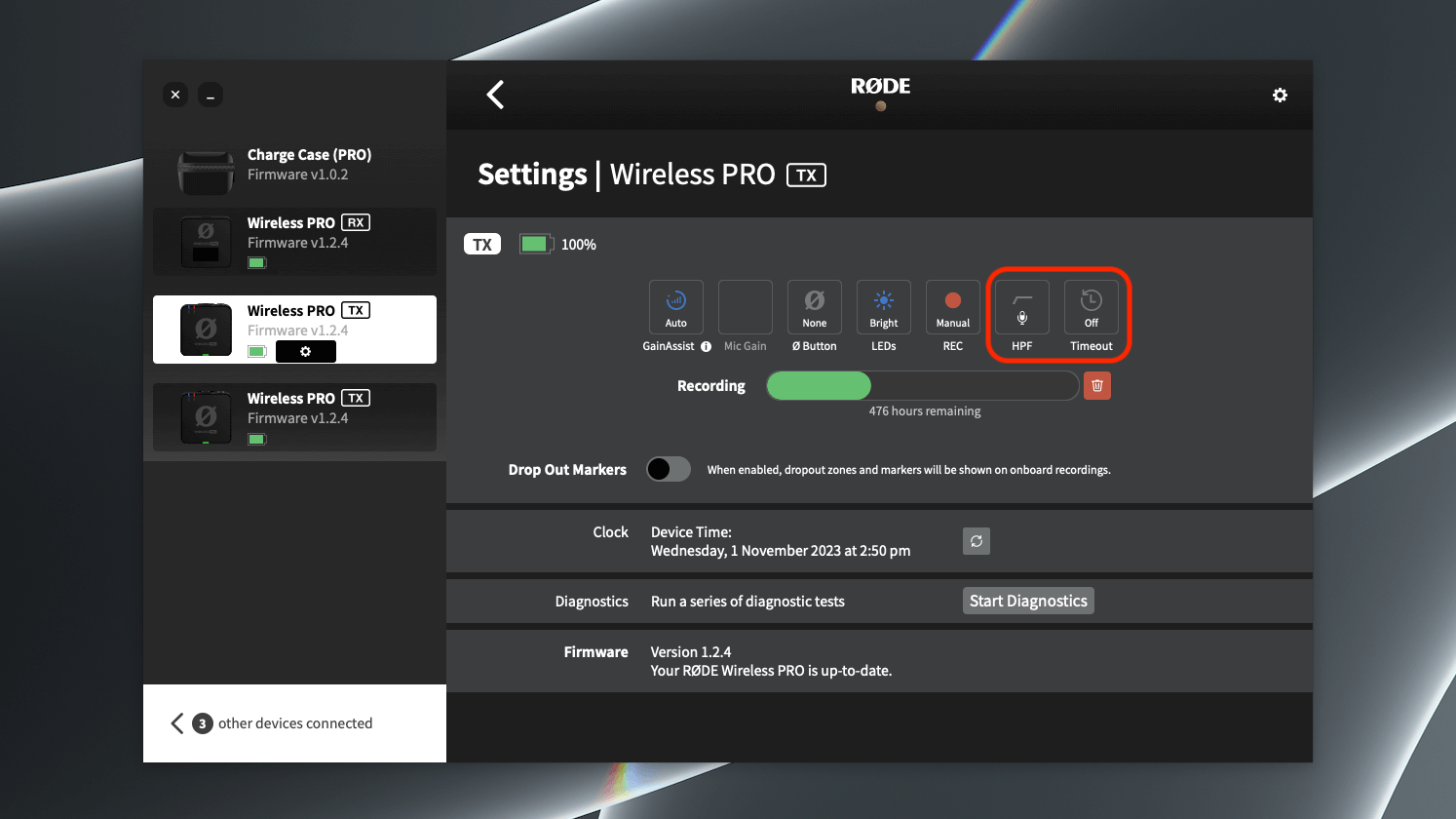
The new two-step high-pass filter can be applied to both the built-in microphone and any connected external microphone. The filter can be set to either 75Hz or 100Hz. A high-pass filter, also known as a low-cut filter, removes lower frequencies from an audio signal. This can be useful for adding clarity to audio and reducing rumble caused by wind noise.
Disable Timeout Feature
The timeout feature can now be disabled on the transmitters. When the timeout feature is enabled, the transmitters will automatically turn off after 15 minutes if they are not recording and are not paired. This can help preserve battery life. However, if you prefer to leave the transmitters on your talent all day, you can now disable this feature.
Disable Plug-In Power Detect Feature
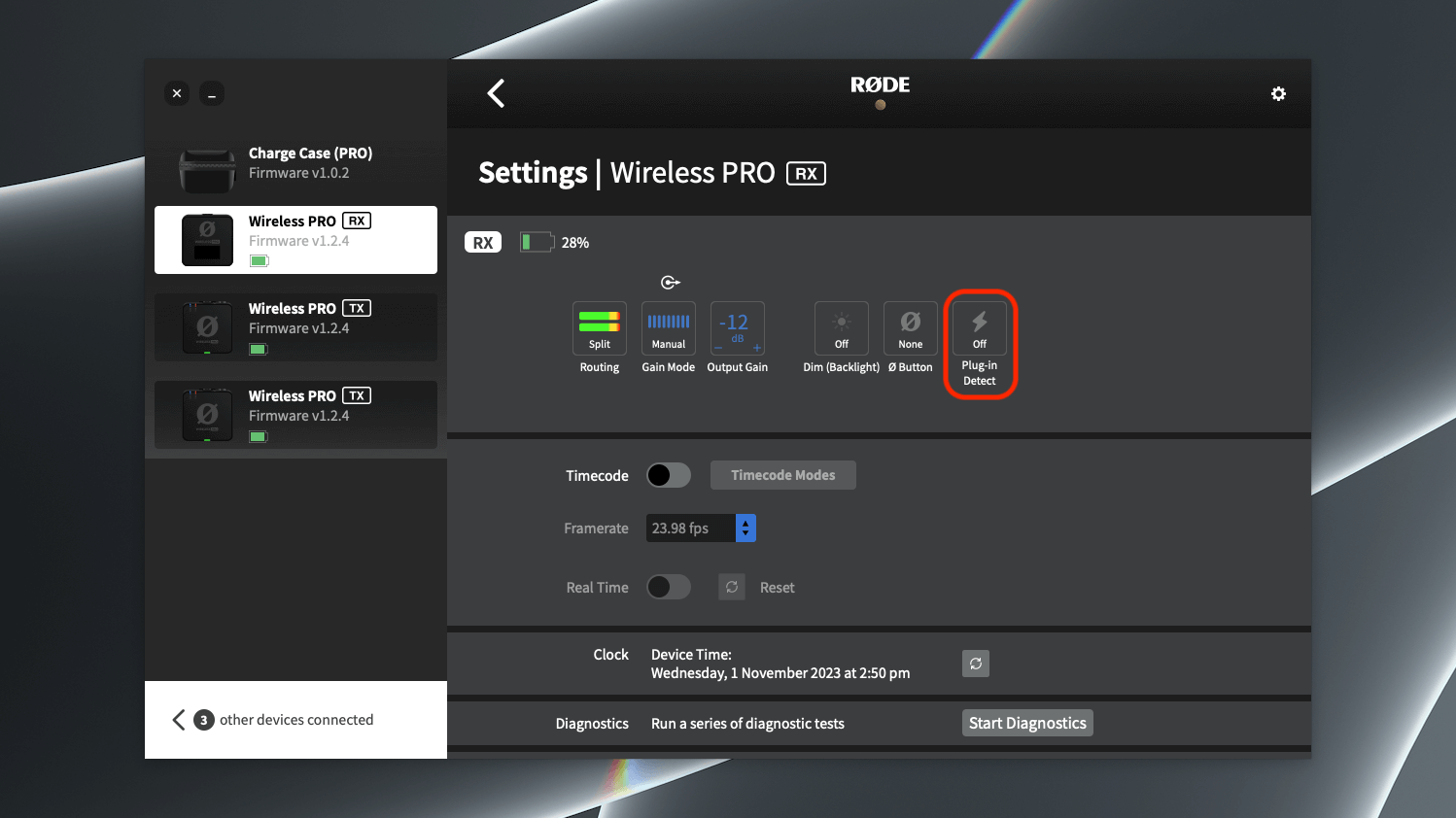
The plug-in power detect feature can now be disabled on the receiver. When the plug-in power detect feature is enabled, the receiver will automatically turn on when you turn your camera on, as long as the receiver detects power. The receiver will also automatically turn off when you turn your camera off. If you prefer to manually turn the receiver on and off, you can now disable this feature.
Compatibility with Other RØDE Series IV Wireless Devices
The Wireless PRO is now fully compatible with other RØDE Series IV wireless devices, including the Wireless GO II, Wireless ME, RØDECaster Duo, and RØDECaster Pro II. This means that you can use the Wireless PRO with these devices to create a seamless wireless audio system.
How to Update Your Wireless PRO
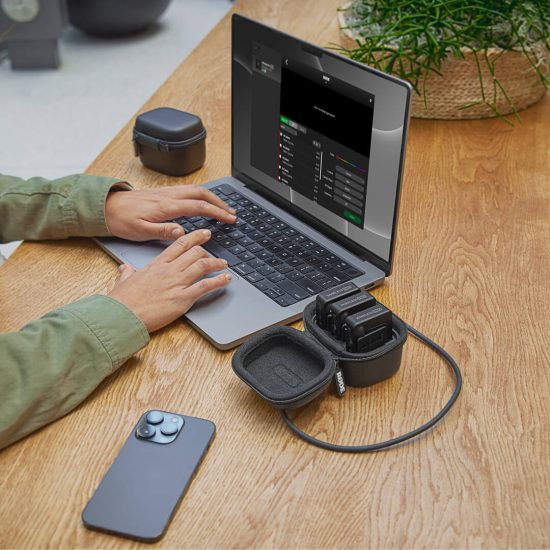
To update your Wireless PRO to the latest firmware, you will need to connect it to your computer and run RØDE Central. RØDE Central is a free software application that allows you to manage your RØDE products. Once you have connected your Wireless PRO to your computer and launched RØDE Central, the software will automatically check for the latest firmware update. If an update is available, you will be able to download and install it.
The new firmware update for the Wireless PRO adds a number of new features and enhancements that make it an even more versatile and powerful wireless microphone system. We recommend that you update your Wireless PRO to the latest firmware as soon as possible to take advantage of these new features.